
Generate Google Earth KML documents
BatchGeo is a great tool for mapping addresses and then sharing the maps with others. You can embed our maps in your website, email them to friends, or even view them in our mobile applications. However, sometimes you have other ideas of how you'll use the underlying map data. In those circumstances, we provide KML export so you can view your maps in Google Earth, Google Maps, ArcMap, or a number of other popular mapping clients.
If you're familiar with this open, portable geographic data format, you're ready to follow the short steps to create your KML. Otherwise, scroll to learn more about KML and how you might use it to share and visualize geographic data.

How to create a KML file
To create a KML file from your spreadsheet data, just follow the steps below:
- Go to batchgeo.com
- Paste your data into the big box
- Click "Map Now"
- Wait for geocoding to finish, then click "Continue / Save"
- Fill out the title, description, and make sure to include your email address, then click "Save Map"
- Scroll to the bottom of the page, you will see a "Download Google Earth KML" button, click it and your done!
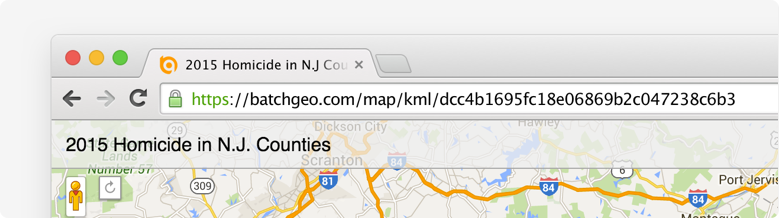
You can also use this URL trick: Any BatchGeo map URL, such as https://batchgeo.com/map/example-map, can be converted to a KML URL by adding “kml/” after “map/” to get https://batchgeo.com/map/kml/example-map
Pro users have two more ways to export KML:
- In My Maps, each of your maps has a KML button that will download your KML file
- While viewing a map, click your email address at the top of the screen and select “export to google earth"
Note: If you have more than 500 points on the map (only available to Pro users), you'll need to find your KML file under My Maps.
What is KML?
 KML is an open, portable geographic data type. It contains both the data and rendering information in an XML file that is easy to read.
Originally known as Keyhole Markup Language, the technology was acquired by Google and subsequently submitted to the Open Geospatial Consortium to evolve as an implementation standard.
KML is more than a way to store map coordinates, it also contains instructions for how to display the location, such as marker color and style. Additionally, KML keeps your metadata coupled with the geographic data, which allows clients to filter and display additional information, such as what BatchGeo shows in the Marker Info Boxes.
While BatchGeo's use of KML is focused on points of geographic data, the standard can include lines (series of points), polygon shapes, and image overlays. Using a BatchGeo KML file in combination with other data sources could enhance your understanding of your data, a core principle of BatchGeo.
How to use your KML
The most popular way to use KML is with Google Earth, the application which originally spawned the format. You can open one or more KML files at a time in Google Earth, mixing and matching with the application's other layers, such as roads, places, and additional data sources.
Add your KML to Google Earth
- Open Google Earth
- Under the File menu, choose "Open"
- Locate your KML file on your hard drive
Google Earth will then add your map data as a layer under “Temporary Places” and zoom into a view of your data. To keep your data available during future Google Earth sessions, drag your layer from Temporary Places to “My Places” or right click (Ctrl+click on Mac) and choose “Save to My Places."
Add your KML to other applications
While Google Earth is the most popular place for your KML, you can use it in other ways and with other applications.
For example:
- ArcGIS, the popular GIS application from ESRI
- QGIS, a free and open source GIS application
You could also publish your KML on your website, making it discoverable to search engines.
Further, KML allows you to share the underlying data, including geographic coordinates that BatchGeo creates through our address geolocation tool, with friends, co-workers, or others who know how to parse, interpret, or apply the data.
Create your map now, then see what's possible with the KML export.
Frequently Asked Questions
What is BatchGeo and how does it work?
BatchGeo is a free online mapping tool that turns spreadsheet data into interactive Google Maps. Simply copy your data from Excel, Google Sheets, or any spreadsheet, paste it into BatchGeo, and click "Map Now." We automatically geocode addresses, city names, zip codes, and coordinates to place your data on a map.
Is BatchGeo free to use?
Yes, BatchGeo offers a free tier that lets you create maps with up to 250 rows of data. For larger datasets, advanced features like password protection, and ad-free maps, BatchGeo Pro plans start at $99/month.
What types of location data does BatchGeo accept?
BatchGeo accepts full street addresses, city and state names, zip/postal codes, latitude and longitude coordinates, IP addresses, and even landmark or business names. We support data from over 200 countries worldwide.
Can I embed a BatchGeo map on my website?
Absolutely. After saving your map, you receive embed code that works like embedding a YouTube video. Just paste the HTML snippet into your website, blog, or CMS. The map is hosted on BatchGeo servers and displays seamlessly on your page. Learn more about embedding maps.
How do I share or update a map after creating it?
Every map gets a unique URL you can share via email, social media, or messaging. To update your map, use the edit link sent to your email when you saved the map. You can modify data, change settings, and re-save at any time. See our guide on editing map data.